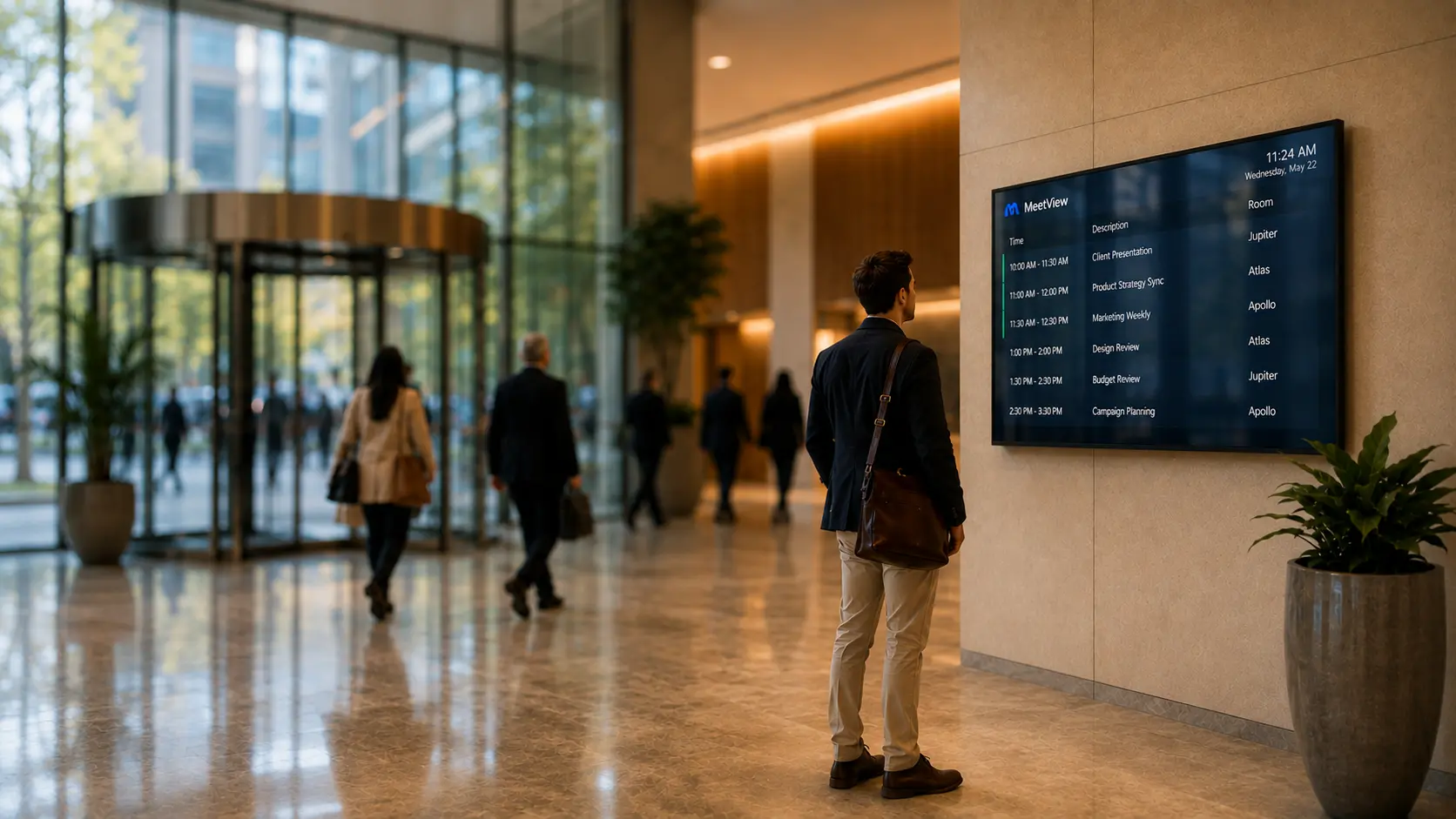
A visitor spotting their meeting and room on a public MeetView screen in a building lobby

Public reservation displays

Share meeting details across public displays

MeetView presents today's meetings on public screens throughout your building. It guides your visitors to the correct meeting room.

Connect your existing reservation or service management platform, choose which meetings to show and publish a clear overview to one or more screens.
For administrators

One console to manage every screen

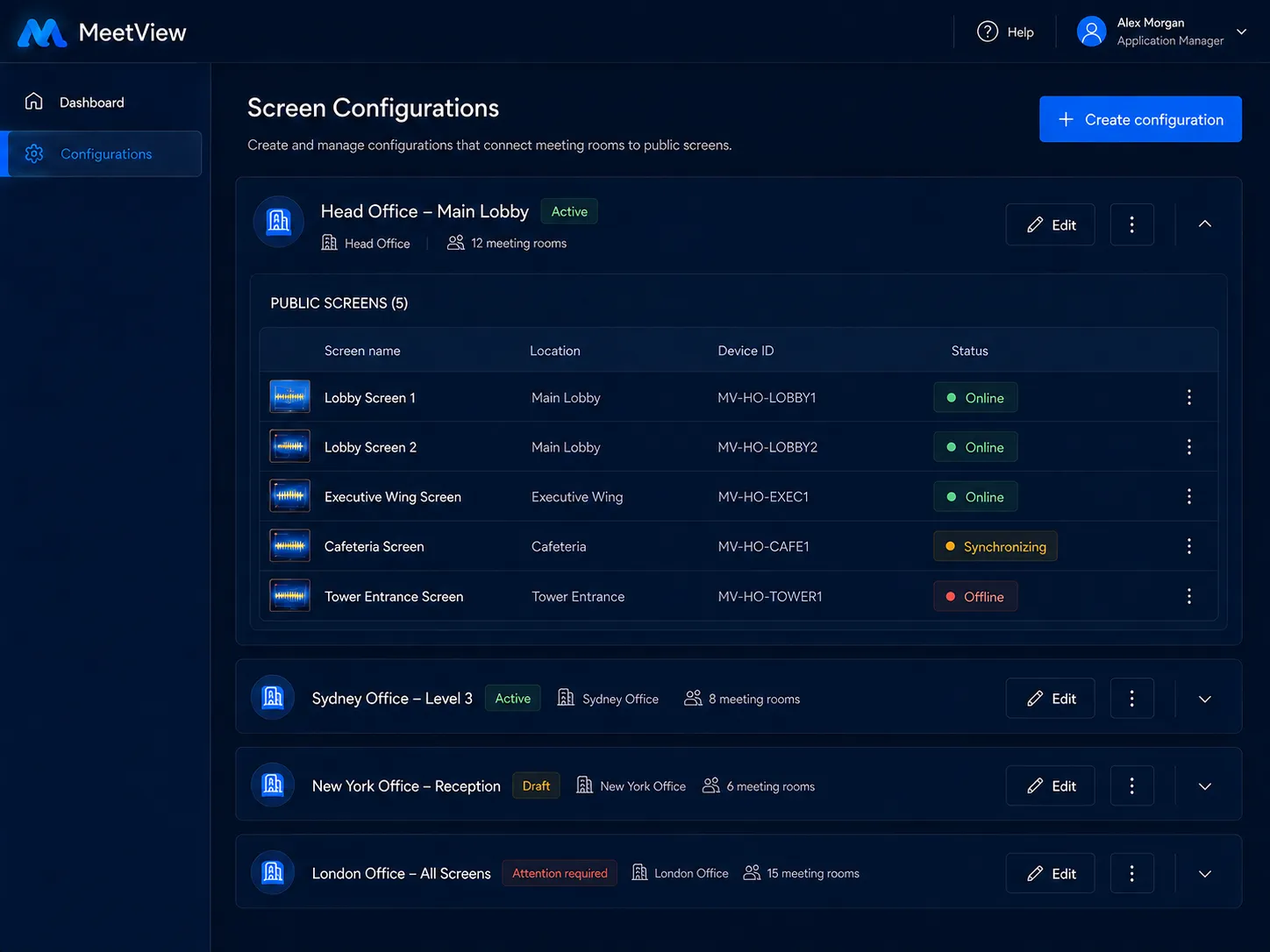
Application managers control every public display from a single management environment. Build a configuration for a reception, floor or conference wing, choose the rooms it shows, preview the result and publish it when it is ready.

Screens are paired to the console, not logged in — a display never holds credentials or account access, so it can be set up in a public area without exposing any login data.

The MeetView administrator console

Integrations

Connect the platform you already use

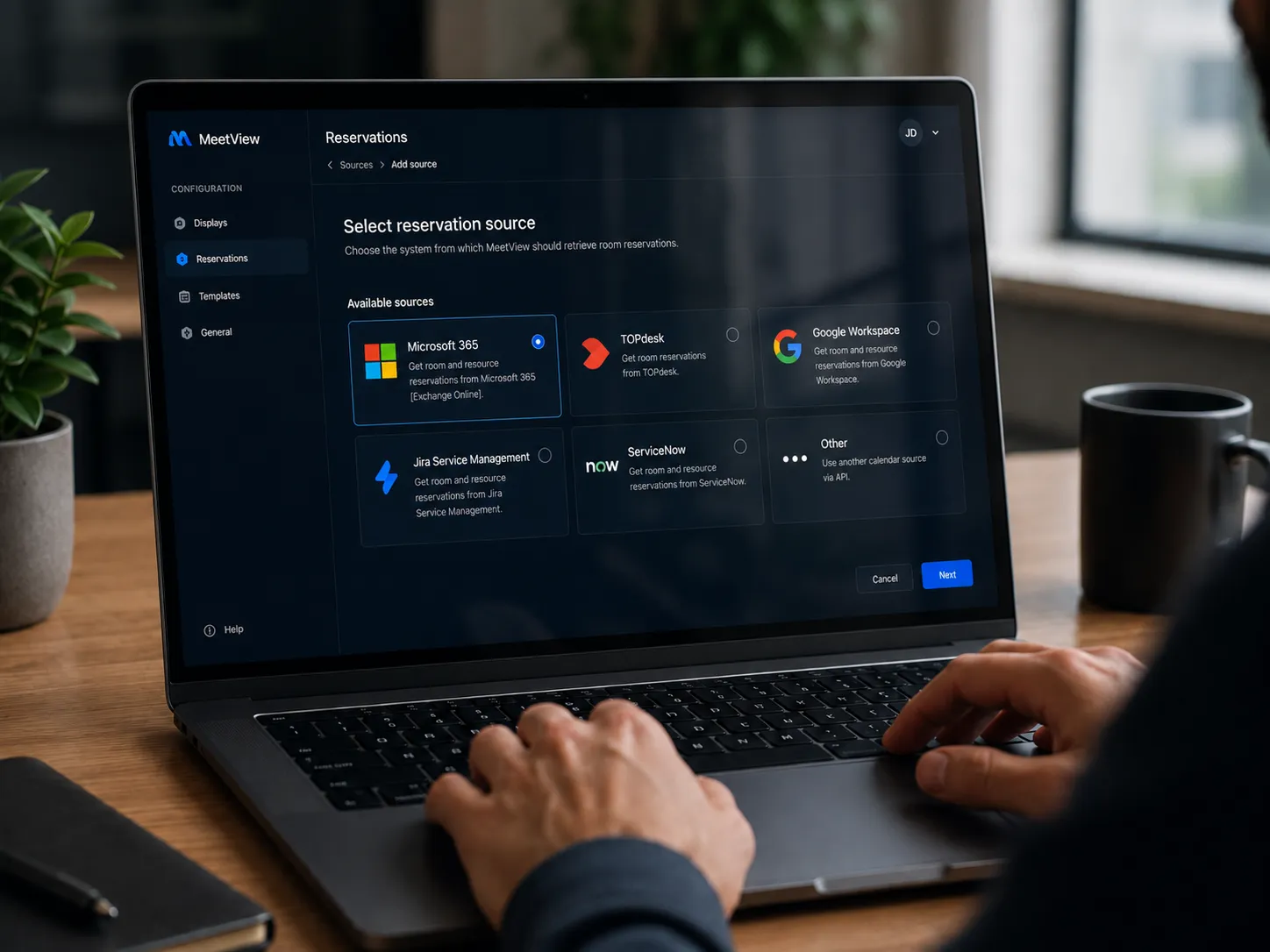
During setup, pick your service management or reservation provider and authorise the connection. MeetView retrieves your rooms and reservations automatically — there is no second calendar to keep up to date and no signage to update by hand.

  • Microsoft 365
  • Google Workspace
  • TOPdesk
  • ServiceNow
  • Jira Service Management
  • Freshservice
Selecting a service management provider during MeetView setup

FAQ

Frequently asked questions

Answers to the questions we hear most often from application managers, IT teams and facility staff evaluating MeetView.

Does MeetView replace our reservation platform?

No. Your existing reservation or service management platform stays the source of truth for meeting information. MeetView retrieves the data you select and presents it on public screens.

Can one configuration serve multiple screens?

Yes. Pair as many physical screens as you like to the same configuration — every screen shows identical, published content.

Do changes appear on screens immediately?

No. Changes stay in draft until an application manager previews and publishes them, so nothing incomplete or incorrect reaches a public screen.

What happens if a screen loses its connection?

It keeps showing the most recently received information and reconnects automatically. A subtle notice can indicate that the information may be outdated.

Can visitors interact with the display?

No. The public display is a passive screen built for quick scanning — no keyboard, mouse, login or interaction required.

How are meetings ordered on screen?

Meetings currently in progress appear first, followed by upcoming meetings ordered by start time.

What happens when there are too many meetings for one screen?

The display automatically splits reservations across pages and rotates through them at a readable interval.

Can we hide confidential meeting details?

Yes. Optional fields such as organiser name, meeting title and description can be omitted wherever your privacy policy requires it.

Can different locations show different rooms?

Yes. Create a separate configuration for each reception, floor, entrance or building and choose the rooms relevant to it.

Can we customise the visual design?

The initial version uses one consistent visual design. Custom branding, colours and layouts may follow in future releases.

Turn reservation data into clear visitor information

Help visitors find meetings faster, cut manual signage work and manage every public screen from one central console.

meetview.io is a product of Kojari, a technology company that builds simple, privacy-first products designed around the people who use them. Guided by a human-first approach, Kojari handles the complexity behind the scenes so its tools stay genuinely useful and easy to use.